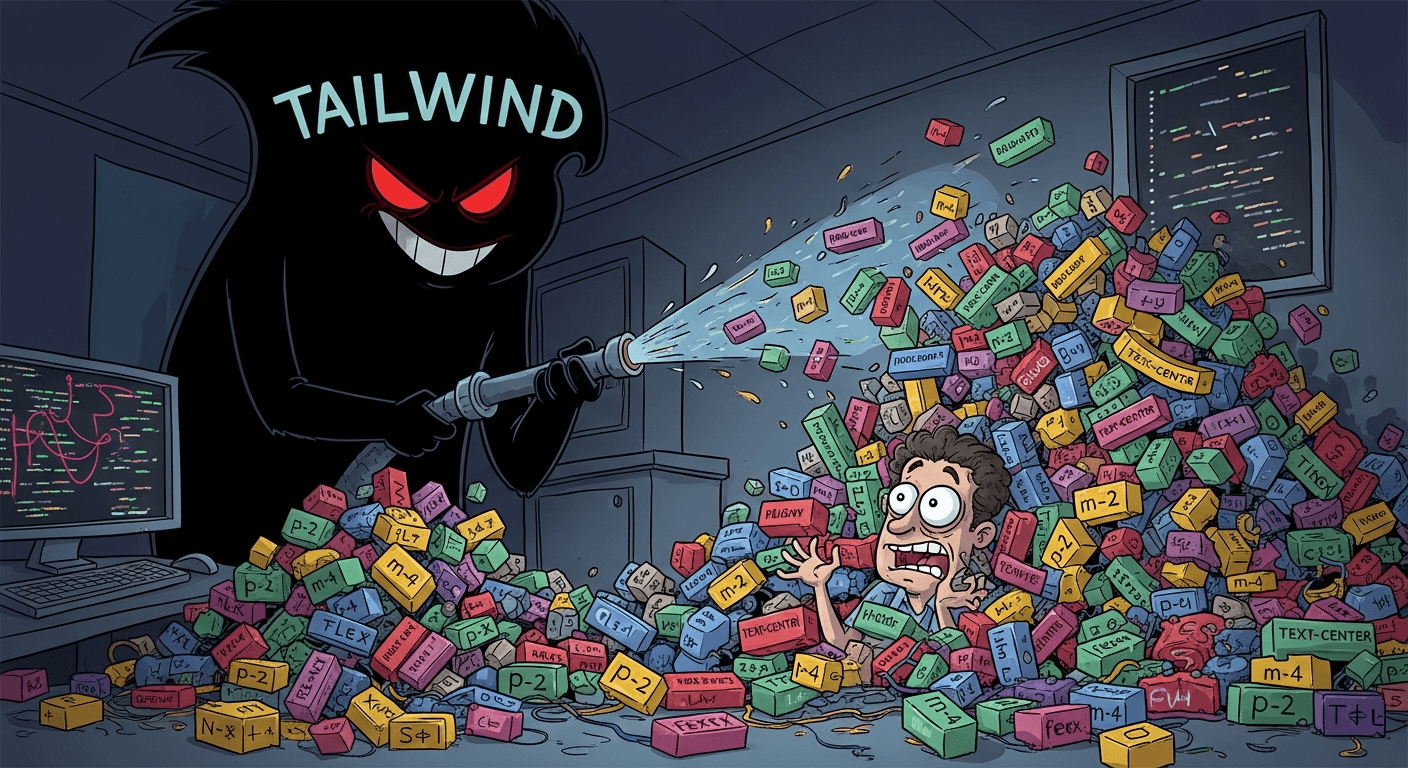
Utility-First, Maintainability-Last: Tailwind Is Anti Pattern
Enough With Utility Class First! Tailwind Is Not the Answer I'm going to say something controversial: Tailwind CSS is an anti-pattern. And I know this is going to ruffle some feathers because Tailwind has become incredibly popular. But hear me out. It's Just Inline Styles With Extra Steps Let's be honest about what Tailwind really is. Remember when we all agreed that inline styles were bad? That separating concerns was important? That mixing presentation with structure was something we should avoid? Tailwind asks you to do exactly that, just with class names instead of style attributes. Sure, it's technically in your HTML's class attribute rather than a style attribute, but the effect is the same. You're still tightly coupling your styling to your markup. Look at this: <div class="flex items-center justify-between px-4 py-3 bg-blue-500 text-white rounded-lg shadow-md hover:bg-blue-600 transition-colors duration-200"> Now tell me how that's fundamentally different from: <div style="display: flex; align-items: center; justify-content: space-between; padding: 1rem; background-color: #3B82F6; color: white; border-radius: 0.5rem; box-shadow: 0 4px 6px rgba(0,0,0,0.1);"> The answer? It's not really different. You've just traded one syntax for another. Your HTML Becomes Unreadable Have you actually looked at a production Tailwind codebase? The HTML is an absolute mess. Class attributes that stretch for lines and lines. You can't scan the markup anymore to understand the structure of your page. Instead, you're wading through an endless string of utility classes trying to figure out what actually matters. When every element has fifteen classes on it, your HTML stops being about semantic structure and becomes a dumping ground for styling instructions. Good luck finding the actual content or understanding the document hierarchy. It Violates DRY Principles One of the core principles of good software development is Don't Repeat Yourself. Tailwind makes you violate this constantly. Want three buttons that look the same? Copy and paste that string of classes three times. Need to update the button style? Better find every single instance and update them all. Miss one? Now you have inconsistent buttons. Yes, I know you can extract components. But if you're extracting components to avoid repetition, you're essentially recreating what CSS already does. You've just added an extra layer of abstraction that makes everything more complicated. The "But Components Solve This" Argument Tailwind advocates always say "just use components!" And sure, if you're in React or Vue, you can create a Button component and reuse it. But that's not a Tailwind feature. That's a component framework feature. You could do the same thing with regular CSS. The real question is: why are you using a utility-first CSS framework that requires a component framework to be maintainable? Regular CSS doesn't have this problem. You write .button { ... } once and apply it everywhere. Done. It's Not Actually Faster People claim Tailwind makes them faster, but I'm skeptical. Sure, maybe in the first hour of a project. But what about week two when you need to make a global style change? What about when a designer tweaks the color palette and now you need to find and replace classes across dozens of files? With traditional CSS, you change one value in one place. With Tailwind, you're either doing a massive find and replace or you're rebuilding your component library. That's not faster. That's technical debt. The Learning Curve Isn't What They Tell You "You don't need to learn CSS!" they say. Except you absolutely do. You still need to understand flexbox, grid, positioning, specificity, and every other CSS concept. You're just learning Tailwind's arbitrary naming conventions on top of that. So instead of learning display: flex, you learn flex. Instead of justify-content: space-between, you learn justify-between. You haven't escaped CSS. You've just added a translation layer. And good luck when Tailwind's utility doesn't exist for what you need. Now you're writing custom CSS anyway, except you're context switching between two different systems. It Creates Vendor Lock-In Once you build a project with Tailwind, you're locked in. Want to switch to a different approach? You're rewriting every single component. Your entire codebase is coupled to Tailwind's utility classes. With semantic CSS, you can change the implementation without touching your HTML. With CSS-in-JS, you can swap libraries relatively easily. With Tailwind, your markup IS your styling. They're inseparable. The File Size Argument is Misleading "But the CSS bundle is tiny!" Sure, after you run PurgeCSS and remove unused classes. But you know what else makes small CSS bundles? Writing only the CSS you actually need. And let's talk about what you're trading for that small CSS file. Your HTML is now massive. All those class names add up. In many cases, you're just shifting bytes from one file to another, not actually reducing your total payload. It Discourages Semantic HTML When you're thinking in terms of utility classes, you stop thinking about semantic HTML. Everything becomes a div with classes. Why use a <button> when you can use a <div> with cursor-pointer? Why worry about heading hierarchy when you can just throw text-2xl font-bold on anything? Semantic HTML matters for accessibility, SEO, and maintainability. Tailwind's utility-first approach actively works against this by making all elements feel equivalent. Customization Becomes Configuration Hell Need to use a color that's not in the default palette? Better go configure your tailwind.config.js. Need a custom spacing value? More configuration. Want a specific breakpoint? Configuration. You end up with these massive config files that are trying to anticipate every design token you might need. It's like the worst parts of Sass variables, except now they're in a JavaScript config file. It's Solving the Wrong Problem The real problem in CSS isn't that writing styles is hard. It's that organizing and maintaining styles at scale is hard. Tailwind doesn't solve that. It just moves the problem around. Good CSS architecture (BEM, SMACSS, ITCSS, whatever) is about creating maintainable systems. It's about naming conventions, file organization, and clear ownership of styles. Tailwind throws all of that out and says "just put everything in your HTML." That's not architecture. That's giving up on architecture. I'm Not Anti Utility Class Let me be clear about something: I'm not against utility classes. I use them every day. Having .text-center, .mt-4, .flex, .hidden in my toolkit? That's incredibly useful. They're perfect for those small, one-off adjustments that don't need a full component class. Utility classes are fantastic when used as a complement to your main styling system. They fill in the gaps. They handle the exceptions. They let you make quick adjustments without having to name yet another thing or create yet another modifier class. But here's the thing: using utility classes strategically is very different from making them your entire approach. It's the difference between having a Swiss Army knife in your toolbox and trying to build a house with only a Swiss Army knife. The Problem is "Utility First," Not "Utility Sometimes" Tailwind's philosophy is "utility first." Everything should be utilities. Your buttons? Utilities. Your cards? Utilities. Your entire layout system? You guessed it, utilities. That's where it crosses the line from helpful tool to anti-pattern. When every single style in your application is a utility class, you've just reinvented inline styles with more steps. When Tailwind Makes Sense (And It's Rare) I'll be fair: there are scenarios where Tailwind might be okay. Quick prototypes where you're never coming back to the code. Extremely simple landing pages. Personal projects where you're the only developer. But for production applications with multiple developers and long-term maintenance needs? It's a nightmare waiting to happen. The Better Path Forward Here's what actually works: use utility classes sparingly alongside semantic CSS. Create a small set of utilities for truly reusable, atomic styles. Things like .text-center or .mt-1. But don't make them the foundation of your entire styling system. Use CSS Modules or CSS-in-JS if you want component-scoped styles. Use design tokens for consistency. Use proper CSS architecture for organization. These approaches actually solve the problems Tailwind claims to solve, without the downsides. Conclusion Tailwind CSS is popular, but popularity doesn't make something good. It violates principles we've spent decades establishing. It makes HTML unreadable, CSS unmaintainable, and codebases brittle. It's an anti-pattern dressed up as innovation. And the sooner we recognize that, the sooner we can get back to building maintainable, semantic, well-architected web applications. You don't have to agree with me. But next time you're copying a string of twenty utility classes for the fifteenth time, or trying to figure out what flex-col md:flex-row lg:items-center xl:justify-between actually renders, maybe you'll think twice.
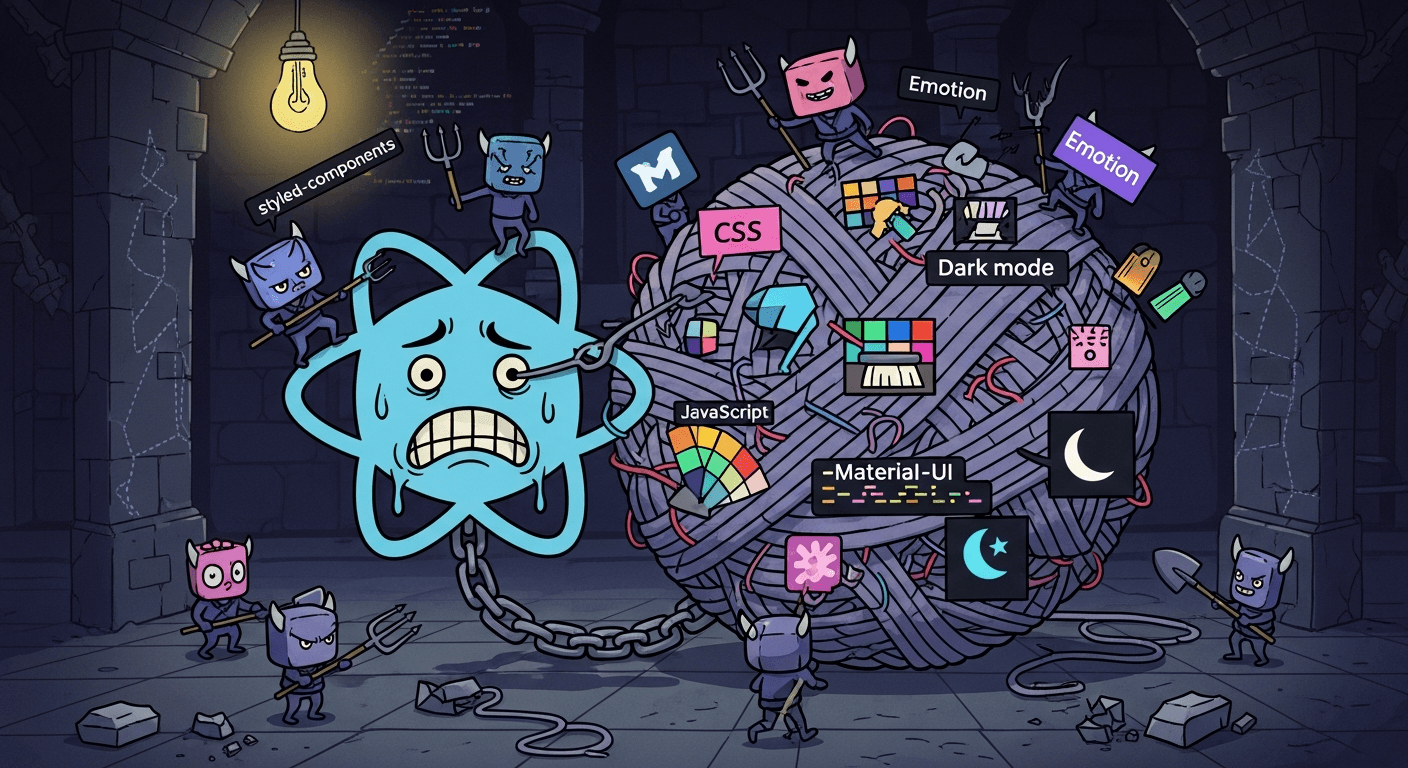
An Opinionated Look at the State of Theming in React
Look, I love React. It's easy. It's fun. It's simple. It brought structure to the chaos of UI development. But if there is one thing that still makes me want to throw my monitor across the room, it's styling, and specifically, the entire clown show we call "Theming" using CSS-in-JS. We, as a community, have somehow managed to take the simplest concept in web development, changing a color, and turn it into a multi-layered, performance-sapping, framework-specific nightmare. And honestly, for what? We had the answer all along! Here is why this entire approach is pointless, painful, and actively works against everything good about the modern web. 1. The Performance Tax is a Betrayal CSS is meant to be fast. It’s a declarative language that browsers are exceptionally good at parsing and applying. Then runtime CSS-in-JS came along and said, "Hold my beer, I’m going to make the slowest part of your application (JavaScript) handle the fastest part (CSS)." Runtime Style Generation: Every time your component renders, your styles, which are just JavaScript strings or objects, have to be parsed by the JS engine, converted into actual CSS, and then injected into the DOM. This is known as style serialization. It’s not free. It costs precious CPU cycles during the critical load path, delaying your First Contentful Paint (FCP) score and making your app feel sluggish right out of the gate. The Re-Render Spiral: When a prop changes that affects a component's style, the library often has to re-calculate and potentially re-inject new styles. This adds extra work to every component re-render, work that plain, pre-processed CSS would never require. Debug Hash Hell: Go inspect an element styled with CSS-in-JS. You get a cryptic, auto-generated hash (e.g., sc-d1c2-3a). Trying to trace that back to the exact line of code that created it is a debugging nightmare. We had a tool (CSS Modules) that solved the global namespace issue without any of this runtime overhead, and we decided to ignore it for the sake of "co-location." It was a terrible trade. 2. Theming Is Just React Context Hell Theming (Dark Mode, custom branding, etc.) should be simple. In pure, modern CSS, it is: you use CSS Custom Properties (CSS Variables). You toggle a class on the <body> or <html> element, and every element using the variable changes instantly, all handled by the browser's native engine with zero JavaScript rendering cost. But in CSS-in-JS land? It becomes a Rube Goldberg machine: You wrap your entire application in a <ThemeProvider> component. The theme variables are jammed into a React Context object. Every component uses a hook (useTheme()) to pull those variables out. When the theme changes, the provider updates the context, forcing every single consuming component that uses that context to re-render. We are literally using JavaScript to force React to re-render just to pass down styling variables that CSS could have handled natively and silently. It’s a performance foot-gun dressed up as a feature. 3. The Next.js Complication: When JS Frameworks Fight Back If you think CSS-in-JS is painful in a standard React application, try getting it to work seamlessly in a large, modern Next.js project. SSR is a Boilerplate Maze: Next.js relies on Server-Side Rendering (SSR). To prevent the dreaded "Flash of Unstyled Content" (FOUC) with CSS-in-JS, you must implement a complex, library-specific setup to "collect" styles during the SSR pass and inject them into the initial HTML response. This requires specific Next.js/Babel configurations, custom Document wrappers, and is a headache to maintain. RSC is the Final Nail: The ultimate destroyer is the Next.js App Router and the push toward React Server Components (RSC). Since traditional CSS-in-JS relies on JavaScript runtime logic to generate and inject styles, it simply breaks within an RSC boundary, as client-side JS is not guaranteed to run there. Choosing a runtime CSS-in-JS library now forces you into a box: either defeat the purpose of the App Router or perform a painful, time-consuming migration to Zero-Runtime tools or, you know, just use pure CSS, the solution that worked from the beginning! The Way Out: Back to Pure CSS Sanity The irony is that the best solution for styling React is almost always to get out of JavaScript's way and embrace the core power of the web platform. The path to sane, performant theming doesn't require a new library; it requires respecting CSS: Use CSS Custom Properties for all theming variables (colors, fonts, spacing). These live at the document root (:root) and allow the entire theme to be swapped instantly by just changing a class on the <body> element, no React re-renders needed. Use CSS Modules for component-level scoping and structure. This gives you locally scoped class names without global collisions, compiling down to nothing but pure, static .css files that load immediately. Let CSS do what CSS does best: be fast, declarative, and easily cascaded. Stop trying to make JavaScript a better CSS pre-processor.

The Power of Being Non-Threatening: How It Gets You Hired and Helps You Rise
The Silent Skill That Separates the Good from the Great Let’s be honest. When you think about the skills that get you ahead in the professional world, you probably think of things like "strategic thinking," "data analysis," "public speaking," or "fierce negotiation." And those things are important. But there’s a quiet, often overlooked superpower that can fast-track your career from the interview room straight to the corner office: The ability to be non-threatening. I’m not talking about being a doormat or hiding your talent. I’m talking about a specific, nuanced form of emotional intelligence that makes people want you around, want to mentor you, and want to invest in your success. It’s the difference between being a star player who gets traded and a star player who becomes a team captain. If you’ve ever wondered why the quiet, unassuming person got the promotion over the clearly more aggressive, overtly ambitious candidate, this is your answer. The Interview Room: Reducing the Risk The biggest goal of any hiring manager is to reduce risk. They’re looking for someone who can do the job, yes, but they're also looking for someone who won't: Blow up the team dynamic. Stab them in the back. Make them look bad. A person who exudes an overly aggressive or competitive vibe immediately raises red flags, even if they’re brilliantly qualified. Why? Because the manager is picturing you sitting across the table from them every day. How to Nail the "Non-Threatening" Interview Vibe Own Your Ambition, Don't Brandish It: Instead of saying, "I plan to take your job in three years," try, "I’m incredibly ambitious and focused on growth. I’m looking for a place where I can grow with the company and learn as much as possible from experienced leaders like you." (See the difference? It frames your ambition as a fuel for *their* team, not a weapon against *them*.) Acknowledge the Team's Success: When you talk about past achievements, use "we" more often than "I," and always express admiration for what the current team has accomplished. A phrase like, "I'm genuinely excited to see how I can integrate with and support the innovative work you all are already doing," is pure gold. Ask for Guidance: One of the most disarming questions you can ask is, "What is one piece of advice you’d give to a new hire in this role to help them succeed in this specific team environment?" This subtly positions you as a learner who respects their expertise, not a know-it-all looking to disrupt things. On the Job: The Art of Collaborative Dominance You got the job. Congratulations! Now, this is where the *real* power of being non-threatening kicks in. It’s no longer about getting past the gatekeeper; it’s about having a clear path to the top. 1. Your Boss: Making Them Look Like a Genius Your manager's primary objective is often to look good to *their* manager. When you present an idea, solve a problem, or complete a major project, you have a choice: Option A (The Threat): Present it as *your* solo victory, which might make your boss feel like you’re gunning for their spotlight. Option B (The Ally): Say, "I couldn't have pulled this off without the strategic guidance you gave me in the initial kickoff meeting." Or, "I really took your advice on X, and it made the difference on this project." Suddenly, your boss is a hero. They will go to bat for you every single time, because your success is directly tied to their own perceived competence. You become a cherished asset, not a rival. 2. Your Peers: Becoming the Go-To Resource The overly competitive colleague who constantly talks about how busy they are or how their idea is better? People avoid them. The non-threatening colleague is the one who: Asks, "How can I help you finish this?" instead of, "Are you going to hit your deadline?" Shares credit generously: "Maria’s data analysis was the key that unlocked this whole strategy." Listens actively: They genuinely hear what others are saying and validate their input before offering their own. When you make your peers feel safe, respected, and heard, they will flock to you. They will share crucial information, cover you when you need it, and, most importantly, **support your promotion** when the time comes. If a manager asks a team, "What do you think of [Your Name] for the lead role?", a non-threatening, collaborative person will receive unanimous praise. The aggressive person will receive hesitation. 3. In Meetings: The Gentle Intervention Meetings are often where people feel most exposed and where egos clash. This is your stage to shine. Instead of shutting down a bad idea, try this gentle intervention: "That's a really interesting direction, Mark. It makes me wonder, though, if we should pause for a moment and go back to what Sarah mentioned earlier about the budget constraint. If we incorporate that, maybe we could look at the idea this way..." You didn't say, "Mark, your idea is terrible." You built a bridge between two ideas, validated the input of two colleagues, and steered the conversation in a more productive direction, all without a single drop of antagonism. You just became the most valuable person in the room. The Secret: It’s Not About Hiding Your Light Let me be extremely clear: Being non-threatening is **not** about being mediocre, quiet, or afraid to voice a strong opinion. It is about deploying your competence with *humility* and *collaboration*. The truly powerful, non-threatening professional understands that the goal isn't to be the smartest person in the room; the goal is to **inspire the smartest work from *everyone* in the room.** It is the mature confidence that knows your talent will speak for itself, so you don't have to shout over anyone else. And that kind of quiet, generous confidence? That’s what executives look for when they’re deciding who to elevate next. It’s the person everyone wants to work *with*, not the person everyone feels they have to work *against*. And ultimately, that's the person who gets to the top, and stays there. What are your thoughts? Have you ever worked with someone who mastered this skill? How did it impact their career trajectory?
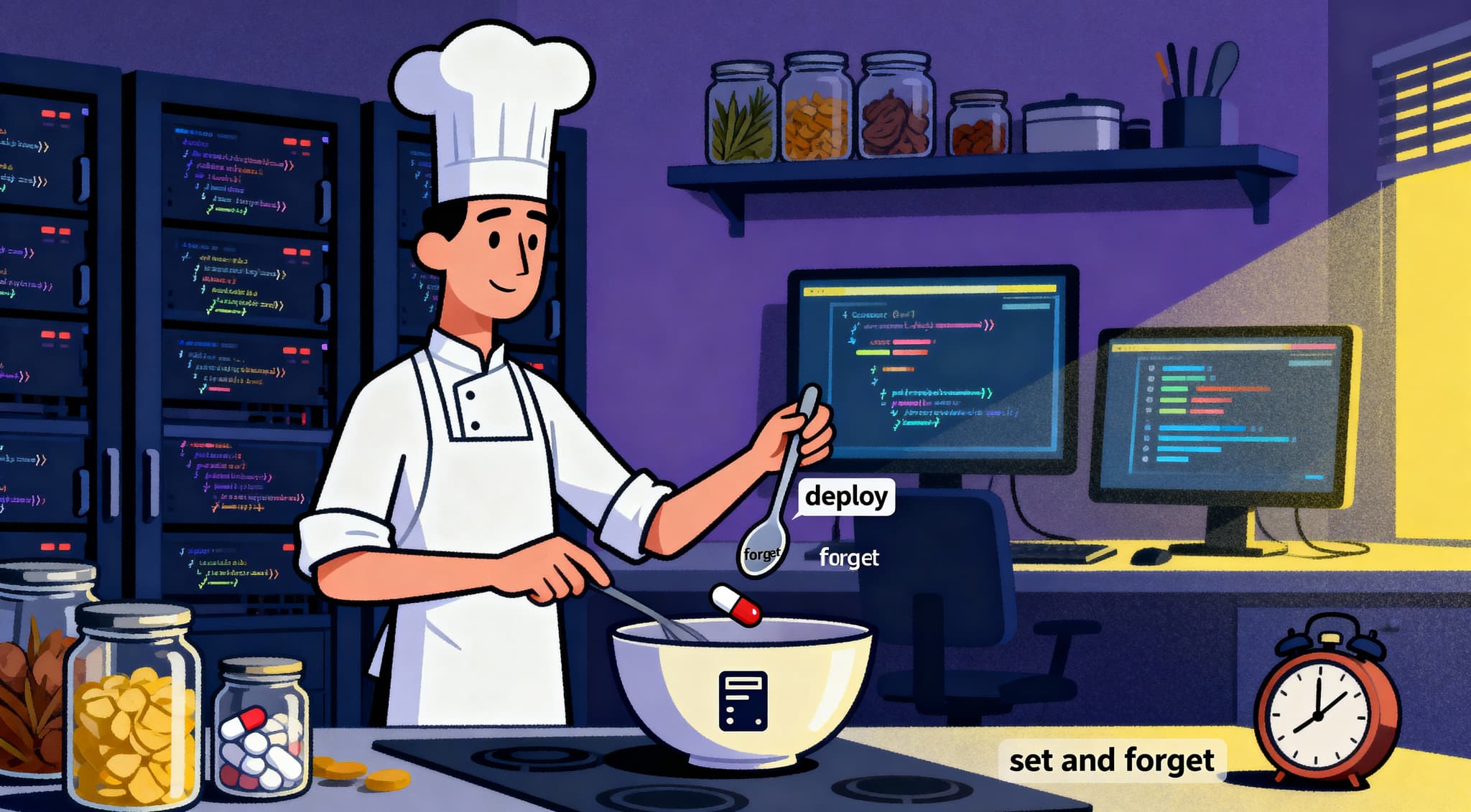
Build It, Deploy It, Forget It: The Secret to Shipping Stable Apps
The Myth of "Set It and Forget It" If you've been in development for more than a week, you've probably heard the classic mantra, "set it and forget it." Maybe it works for infomercial rotisseries, but in the world of software? It’s a dangerous fantasy. That said, there *is* a way to deploy an application and genuinely trust that it will hum along smoothly without demanding your attention 24/7. It’s not about ignoring your app; it's about building in the confidence to step away. The goal isn't to *stop* maintaining your application, that's impossible. The real secret is architecting a system so stable and self-correcting that when you walk away from your desk at 5 PM, you aren't leaving a ticking time bomb. This approach is what I call "Build It, Deploy It, Forget It." It’s about achieving a state of blissful, well-earned ignorance. The Foundations of Forgettable Software To achieve this zen-like state, you have to invest heavily in four critical pillars during the build and deployment phases. These aren't shortcuts; they're architectural requirements for true stability. 1. The Bedrock of Trust: Clean Code & The Single Responsibility Principle Before you even deploy, the quality of your code is the first line of defense. If your code is messy, overloaded, or does too much, you’ll never trust it. This is where the Single Responsibility Principle (SRP) becomes your best friend. The SRP dictates that a class or a function should only have one reason to change. Put simply: one job, one purpose. No Hidden Logic: When a function is clean and simple, it has no hidden side effects or complex, conditional logic buried inside. Developers reusing it know exactly what input to provide and what single output or effect to expect. Predictable Reuse: If a function is called CalculateTotal(items), it shouldn't also be emailing the receipt and logging the user's IP address to a database. It should only calculate the total. This predictability is what allows you to safely reuse code and build stable features on top of it. The Chain of Trust: Clean code is readable code. When a new developer can instantly understand what a piece of code is doing, they’re less likely to introduce bugs when they modify it. 2. The Safety Net: Code Unit Tests Clean code gives us clarity; Unit Tests give us certainty. You can have all the fancy cloud infrastructure in the world, but if your core logic is buggy, the whole thing is brittle. The simple, unglamorous truth is that Unit Tests are the only thing that guarantees your clean code does what you think it does. A Safety Net for Refactoring: When you need to refactor a complex piece of logic, you don't pray it won't break anything; you run the unit tests. If they pass, you know with 99% certainty that the fundamental behavior hasn't changed. They give you the confidence to move fast and make big changes without fear. Living Documentation: A good unit test shows exactly how a piece of code is meant to be used. It defines the inputs and the expected outputs, which is often clearer than any comment block you'll ever write. 3. Observability Over Monitoring After deployment, we need eyes on the system. Most teams focus on monitoring (tracking CPU usage, memory, the *known unknowns*). This is passive. Observability is the next level. It's about being able to ask *any* question about the internal state of your system. We achieve this through Structured Logging, high-granularity Metrics, and most importantly, Distributed Tracing, following a single user request across every service to pinpoint the exact failure point. When you have true observability, a bug is a solvable puzzle, not an emergency fire drill. 4. Immutable Infrastructure and Self-Healing Unit tests and clean code secure the *logic*. Observability secures the *detection*. Now, we secure the *environment* and *recovery*. Immutable Infrastructure fixes configuration drift. It means once a server or container is deployed, it is never changed. If you need an update, you destroy the old one and replace it with a brand-new, perfectly configured instance. This requires Containerization (Docker/Kubernetes) and Infrastructure as Code (IaC) to make the environment repeatable and auditable. Finally, the system needs to fix itself, the ultimate form of being non-threatening to your own sleep schedule. Self-Healing Architecture means your app assumes failure is normal and handles it gracefully with: Automatic Scaling: New instances spin up when traffic spikes. Restart Policies: Crash containers are automatically restarted by the orchestrator. Circuit Breakers: A failing dependent service is isolated so it doesn't drag the rest of the application down. The Payoff: Freedom to Innovate The real secret benefit of "Build It, Deploy It, Forget It" isn't less work; it's better work. Stability isn't a feature; it's a foundation. When you have clean, unit-tested code, a reliable deployment pipeline, and a self-healing environment, you spend less time firefighting and more time building new features, improving user experience, and innovating. You've traded reactive anxiety for proactive creativity. That’s the real power of a stable application: it buys you back your time, your focus, and your sanity.

The Reality Behind the Full Stack Developer Myth
The Rare Breed: Why Our Multi-Disciplinary Expertise is Misunderstood Let's be honest: the job title "Full Stack Developer" sounds amazing. It conjures up an image of a coding superhero, someone who can orchestrate a dozen microservices using event streams like Kafka, build a complex microfrontend architecture, design a stunning user interface, and maybe still have time to configure the CI/CD pipeline before lunch. And for us, the developers who are genuinely comfortable jumping from designing asynchronous Kafka pipelines to building a reusable Angular/React component, and even guiding the design with strong UX principles, it's a hard-earned badge of honor. We are, frankly, a rare kind. But we also know the problem with the Full Stack Myth isn't that developers *can't* learn many things. It’s that the industry, particularly in job postings, demands deep expertise in every single, specialized layer of the stack, turning a broad skill set into an unrealistic expectation for mastery. This myth is causing burnout, frustrating hiring managers, and making life unnecessarily stressful for ambitious developers like us. What Does "Full Stack" Really Mean for Us? The core definition is simple: a developer who is comfortable working on the frontend (everything the user sees) and the backend (the server, application logic, and data interactions). However, the reality of a modern application stack, especially in large, scalable environments using micro-architectures and when we bring design expertise to the table, is far more complex than just two boxes. Today, the "stack" includes: Layer The Industry Myth Demands Our Approach Requires Microservices/Data Streams Node.js, Python/Django, Java/Spring, serverless, asynchronous communication (Kafka/RabbitMQ), event sourcing. Mastering *one* core language/framework and knowing how to write secure, robust, and scalable microservices that interact reliably via Kafka or other event streams. Frontend Architecture Angular/React, Vue, state management (Redux/NGRX), Microfrontends (Module Federation, single-spa). Being an expert in the *single* framework (Angular or React) our company chose and understanding how to structure a large app using microfrontends. Design/UX Mastery of Figma, information architecture, accessibility, user testing. Leveraging our visual and UX skills to bridge the gap between design vision and implementation, a massive multiplier for the team. Infrastructure (DevOps) CI/CD pipelines, Docker, general cloud configuration (AWS/Azure), monitoring. Knowing how to deploy our own service using pre-built team scripts and troubleshooting basic pipeline errors within a containerized environment. The true multi-disciplinary full stack developer, the rare kind we are, can cover most of the horizontal breadth *and* possess deep specialization in multiple verticals (like us in FE, BE, and design). The challenge is that this level of mastery is nearly impossible to maintain across every single tool on the list. The Power of the "T-Shaped" Mindset Instead of striving for the impossible breadth of the "Full Stack Unicorn," the most valuable professionals today are T-Shaped Developers, and we are the best examples of this. Imagine the letter T: The Vertical Bar (I): Represents deep, specialized expertise in one or two core areas. For us, this might be our mastery of Kafka stream processing or our proficiency in implementing a modern microfrontend with Angular/React. This is our foundation, the thing we can do better than almost anyone on our team. The Horizontal Bar (, ): Represents broad, functional knowledge across many layers of the stack. This knowledge allows us to communicate effectively with other specialists (the DevOps engineer, the UX designer, the API architect) and understand how our piece of the puzzle affects the whole. It’s what lets us talk intelligently to a security engineer about JWT flows or to a data architect about Kafka topics and partitions. This is the secret reality: companies don't need a single person to *master* every piece; they need people who can connect every piece. Our ability to bridge the gap between design vision, microfrontend implementation, and microservice stability makes us the indispensable glue of the engineering team. The Hidden Cost of Chasing Unrealistic Expectations The unrealistic expectations often attached to the Full Stack title cause real damage to developers and our industry: 1. Burnout and Imposter Syndrome Constantly seeing job requirements that ask for five years of experience in every tool under the sun leads to a pervasive feeling of inadequacy. Even though we are highly skilled, we can feel compelled to spend every evening learning a new framework just to stay relevant, which leads straight to burnout. We end up feeling like experts in nothing and adequate at everything, which is a terrible feeling given our wide skillset. 2. Shallow Expertise and Technical Debt When a developer is forced to context-switch across five major layers in a single week, they are prone to introducing bugs, making quick-and-dirty compromises, and creating technical debt. While we are faster than most at context switching due to our broad skill set, even we benefit greatly when we are allowed to focus our energy for longer periods, ensuring our specialized output is secure, performant, and scalable. 3. Hiring Gridlock Hiring managers often rely on the "Full Stack" title to save money or simplify the job posting. They ask for the unicorn, but they only end up interviewing talented generalists who are then rejected for not having the required depth in a specialized area. This drives up hiring time and frustration for everyone, including us when we try to staff our own teams. How We Navigate Our Careers (And the Job Market) If we are currently working under the Full Stack title or aiming for it, here’s how we embrace the T-Shaped mindset and succeed: Define Our T-Bar: We know exactly what our deep verticals are (e.g., modern component design/microfrontends, *and* robust Kafka-driven microservice development). We consciously build our horizontal knowledge (e.g., learning basic containerization and understanding security flows). Translate Our Skills: When interviewing or presenting our work, we acknowledge the Full Stack title but immediately pivot to our rare, deep strengths. We might say, "I am a multi-disciplinary specialist who excels at both microservice architecture and microfrontend performance (Angular/React), but my secret weapon is leveraging my design sensibility to preemptively solve UX problems during implementation." This shows both confidence and realistic self-assessment. The Full Stack Developer isn't a myth in the sense that they exist; they are a myth in the sense that they are *mastered* at every layer. The reality is that the most successful and stable software is built by teams of highly communicative specialists and multi-disciplinary professionals like us, not lone superheroes. Let's retire the impossible unicorn label and focus on promoting the value of our rare, T-shaped expertise.
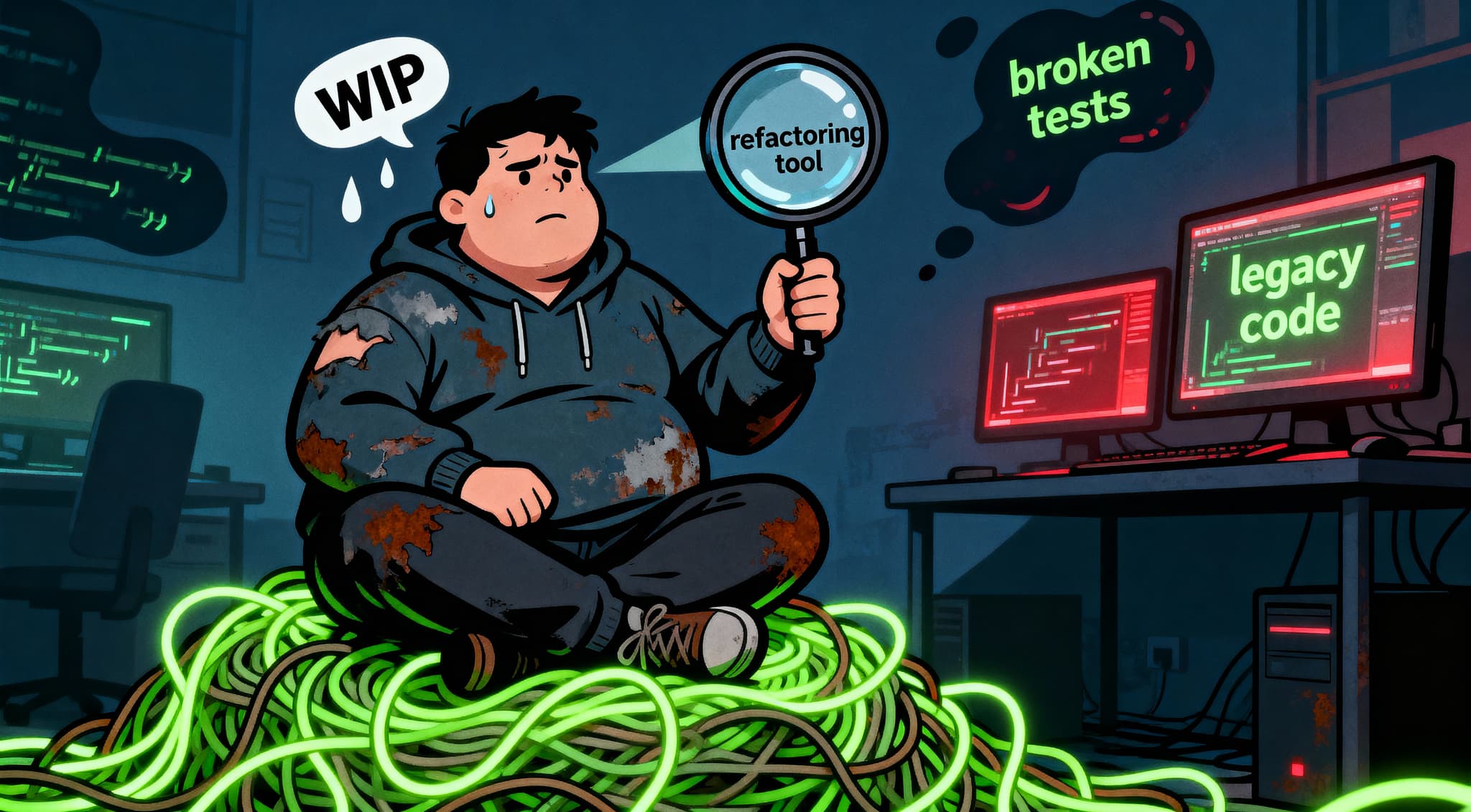
The Real Art of Code Refactoring
It's Not Just Cleaning, It's Telling a Better Story If you’ve been writing code for any amount of time, you know the drill: the feature is finally done, the tests are green, and the client is happy. Now comes the moment of truth, do you leave behind that tangle of clever but sprawling logic, or do you take the time to clean up? For many, refactoring is seen as a luxury, a chore, or worse, a distraction. But I've learned that refactoring isn't just about cleaning; it’s about authorship. It’s taking a rough draft that works and turning it into a novel that's a pleasure to read. It's the difference between code that just *runs* and code that tells a story. Here’s my philosophy on the real art of refactoring, focusing on the techniques that transform complexity into clarity. The Golden Rule: One Function, One Task (SRP) This is the bedrock of maintainable code, and honestly, the single best habit you can adopt. I firmly believe in the Single Responsibility Principle (SRP) applied rigorously at the function level: one function should perform one, single task. When I sit down to refactor a messy method, my first goal is to break it down. If I see a function that is calculating discounts, checking inventory, and updating the cart, that’s a huge red flag. The benefit of this strict segregation is massive: Clarity: When you look at calculateShippingCost(), you know exactly what it does. It doesn't fetch user data or log analytics. Testability: Unit testing becomes trivial. You can test each small function in isolation without mocking the entire universe. Reusability: That tiny formatPrice(price) function can now be used anywhere in your application without dragging along a bunch of extraneous logic. If a function is doing more than one thing, it’s not refactored yet. Keep breaking it down until each resulting method is small enough to fit easily on the screen and perform just one action. Storytelling with Facade Methods This is where the "art" really comes into play. Once you’ve broken down a massive, complex operation into many small, single-purpose functions, how do you make sure the reader (or your future self) understands the overall flow? You introduce Facade Methods. A facade method is simply a high-level function that uses those smaller methods to tell a step-by-step story of the complex operation. Instead of a 100-line function, you end up with something that reads like this: function processNewOrder(order) { const validatedOrder = validateOrderData(order); const cost = calculateTotalCost(validatedOrder); const inventoryResult = checkAndUpdateInventory(validatedOrder); if (inventoryResult.isSuccessful) { // ... more steps ... return persistOrderAndNotify(validatedOrder, cost); } return handleInventoryFailure(inventoryResult); } Notice how this method doesn't contain any complex loops or arithmetic? It only contains function calls. This narrative structure is beautiful because: Immediate Understanding: Anyone reading processNewOrder knows the exact sequence of events in about five seconds. Easy Debugging: If the order fails, you know *exactly* which step failed just by looking at the call stack, without having to step through pages of code. Hiding Complexity: The reader doesn't need to care *how* calculateTotalCost works unless they are debugging that specific part. The complexity is hidden behind a clean interface. The facade method acts like the table of contents for your code. Naming is Everything (Embrace Long Names!) If I see a function named calc(data, flag) I sigh. Refactoring requires eliminating cryptic abbreviations and single-letter variables. I don’t mind if a variable name or a function name is long, as long as its length drastically improves readability. My rule is simple: function and variable names must be descriptive of what they are accomplishing, not just what they are. Bad Name Better Name Why? pI() processInvoice() What are we processing? The invoice. i itemIndex It tells me the purpose of the number, not just that it’s a number. update(val) updateUserAccountStatus(newStatus) Clearly defines the object and the action being performed. When you use names like isUserSessionExpired or calculateMonthlyInterestRateForSavingsAccount, the code is almost self-explanatory, and the need for extra comments drops dramatically. Don't worry about screen space; modern IDEs handle long names beautifully. Worry about the brain space of the next person who reads your code. When Hacking Happens: The Indispensable Comment Even the cleanest codebases have moments where you have to do something weird. Maybe it’s a necessary workaround for a third-party library bug, a clever performance hack, or some bit of legacy logic that can’t be touched right now. In these situations, when the code is *not* self-explanatory, the comment is your absolute duty. I use comments sparingly, but when I do, they serve a specific, essential purpose: explaining the *why*, not the *what*. Avoid: // Loop through all users (The code already says this). Use: // HACK: We must check 'isLoaded === true' here due to a race condition in the V4 API; otherwise, the payload is null. A comment should alert the reader to danger, technical debt, or a deviation from expected behavior. It’s like a hazard sign on a clean highway. It says: "The code below looks weird, and here is the unavoidable reason why." By adhering to these principles, strict single tasking, narrative facade methods, descriptive naming, and surgical comments, we elevate refactoring from mere clean-up to a vital part of the development process. We create code that isn't just reliable, but a pleasure to read and maintain.

How to Organize Your Project Structure for Long-Term Scalability
Stop Fighting Your Folder Tree: The Domain-First Secret Let's face it: one of the most frustrating, time-wasting tasks in development isn't writing code, it's finding code. We've all been there, scrolling through a massive, sprawling project structure where every folder has 50 files and nothing makes sense after the first few months. That initial excitement when you create a components folder? It quickly turns into dread when that folder has 150 files and you have to search for AdminDashboardUserListTableToolbarFilterButton.js. The truth is, your project structure is the single most important factor dictating your app's long-term scalability and maintainability. A poorly structured app is slow, fragile, and absolutely terrifying to onboard a new developer onto. Here is the secret to escaping the component-hell folder structure and building a project that scales gracefully: Organize by Domain, not by Object. The Flawed Object-Based Approach (And Why It Fails) Most projects start with an object-based organization, which looks something like this: src/ ├── components/ <-- HUGE FOLDER! ├── models/ ├── services/ ├── pages/ └── utils/ Why this breaks at scale: Context Switching Hell: If you need to fix a bug on the "Order Creation" page, you have to jump between five different folders: the pages folder for the main container, the components folder for the form fields, the models folder for the data schema, and the services folder for the API call. Your brain is doing more work than your compiler! No Clear Ownership: Everything is lumped together. When a new developer needs to work on a feature, they have no clear entry point for that specific business function. Refactoring is Risky: Want to move the payment flow into a new microfrontend? You have to manually comb through every single object folder, trying to figure out which components and services belong to that specific feature. It’s painful and error-prone. The Solution: Domain-First Architecture (The Scalability Secret) The winning strategy for long-term scalability is to mirror your folder structure to your business domains (or features). Instead of organizing by *what kind of code it is* (a component, a model), you organize by *what the code does* (managing an order, handling a payment). This structure should look like this: src/ ├── domains/ │ ├── order/ │ ├── payment/ │ ├── product/ │ └── user/ ├── shared/ <-- For cross-domain utilities └── app.js Deep Dive into the Domain Folder Once you’re inside a domain folder (e.g., src/domains/order), you then use the object-based organization, but on a much smaller, contextual scale. For example, the order domain folder might contain: src/domains/order/ ├── components/ <-- Only components related to orders (OrderCard, ShippingTracker) ├── models/ <-- Only schemas related to orders (OrderSchema) ├── services/ <-- Only API calls related to orders (OrderService.js) ├── hooks/ └── index.js <-- The main entry point for the Order feature Why This Works for Scalability: High Cohesion: Everything related to the Order feature lives in one place. If you touch the order folder, you know you are only impacting the Order feature. Low Coupling: It’s much harder to accidentally import a payment component into an order feature, because the distance between them is visually obvious. This separation of concerns is vital for managing complexity. Easy Extraction: If your team grows and you decide to split the product management section into a completely separate application, you can literally copy the entire src/domains/product folder and move it to a new repository. This makes future architectural shifts straightforward. Faster Onboarding: A new team member can be assigned to the "Payment" feature, and they know the *entirety* of their work exists inside that one single folder. The Role of the Shared Folder This domain-based approach is incredibly effective, but every application needs shared code. You don't want to copy and paste your custom button component into every domain folder. The solution is to have one single shared folder sitting right next to the domains folder: src/ ├── domains/ ├── shared/ │ ├── components/ <-- Common Button, Layout, Header │ ├── hooks/ <-- useLocalStorage, useDebounce │ └── utils/ <-- Global date formatting, currency helpers └── app.js The golden rule for the shared folder: Nothing inside the shared folder should depend on anything inside the domains folder. The flow is always one-way: Domains can import from Shared, but Shared cannot import from Domains. This prevents circular dependencies and keeps the shared code truly generic and reusable. If a component in shared/components ever needs specific logic from the order domain, it’s a sign that component isn't actually shared, it should be moved into the order/components folder or accept the order data as a prop. By committing to this Domain-First architecture, you're not just moving files around; you’re setting up a robust, scalable system that prioritizes feature autonomy and clarity over superficial organization. You'll spend less time searching for files and more time building great features.

JPA Criteria Sucks So Bad (And Yes, Hibernate’s Deprecated API Was Better)
The Great Migration That Went Wrong: Chasing Type Safety Look, I’m going to be blunt. If you’ve spent any meaningful time building complex queries in a large Java application, you’ve hit a wall of despair known as the JPA Criteria API. When it was introduced, the promise was beautiful: type-safe, programmatic queries. No more relying on magic strings in JPQL or HQL, which could break silently at runtime if you renamed a field. Instead, we were promised a clean, composable way to build dynamic queries that the compiler could validate. The reality? We traded runtime errors for compile-time pain and an API that is shockingly verbose, difficult to read, and actively fights against the core Java language. It feels like an API designed by a committee that was paid by the character count. The Verbosity Trap Let’s look at a simple scenario: finding all users named 'Alice' who joined after January 1st, 2024. JPQL (The "Magic String"): SELECT u FROM User u WHERE u.name = :name AND u.joinDate > :date Simple, readable, and perfectly clear. JPA Criteria API (The "Type-Safe" Nightmare): CriteriaBuilder cb = entityManager.getCriteriaBuilder(); CriteriaQuery<User> cq = cb.createQuery(User.class); Root<User> root = cq.from(User.class); // Predicate 1: Name equals 'Alice' Predicate namePredicate = cb.equal(root.get("name"), "Alice"); // Predicate 2: Join date is after a certain date Predicate datePredicate = cb.greaterThan(root.get("joinDate"), joinDate); // Combine the predicates cq.where(cb.and(namePredicate, datePredicate)); TypedQuery<User> query = entityManager.createQuery(cq); List<User> users = query.getResultList(); Seriously, look at that! We had to introduce four variables (cb, cq, root, and two Predicate objects) just to write two simple conditions! And guess what? We still had to rely on magic strings ("name", "joinDate") inside the root.get() calls! The worst part is that root.get("name") is not actually type-safe. If you refactor the User.name field to User.firstName, the compiler will happily ignore this Criteria code, and it will still fail at runtime with a cryptic mapping error. We got all the boilerplate of a complex API without truly achieving the promised type safety. The Good Ol' Days: Hibernate's Type-Safe API (The One They Killed) Before the JPA committee standardized on the current monstrosity, Hibernate offered an alternative API that was genuinely elegant and truly type-safe, often referred to as the Hibernate Restrictions API. You used it with the Criteria object (not the JPA one!), and it felt much more aligned with fluent programming patterns. Imagine writing that same query in the style of the deprecated Hibernate API: // This is the deprecated API, used for comparison! Criteria criteria = session.createCriteria(User.class); criteria.add(Restrictions.eq("name", "Alice")); criteria.add(Restrictions.gt("joinDate", joinDate)); List<User> users = criteria.list(); This is readable, direct, and avoids the explicit creation of CriteriaBuilder and CriteriaQuery objects for every trivial task. It was closer to the Builder pattern developers actually enjoy using. The Missing Link: Generated Metamodels The only way to *actually* achieve true type safety with the current JPA Criteria API is by using the JPA Static Metamodel Generator (the classes ending in _, like User_.name). // Using the generated metamodel classes (the *only* way to make it truly safe) cq.where(cb.and( cb.equal(root.get(User_.name), "Alice"), cb.greaterThan(root.get(User_.joinDate), joinDate) )); While this solves the magic string problem, it introduces a code generation step into your build process, which adds complexity and often requires special IDE configuration. It feels like a massive workaround to fix a fundamental flaw in the API design itself. The Developer Experience Tax Ultimately, the goal of any high-level framework is to improve developer productivity. The irony is that while ORMs are necessary for object-relational mapping, the JPA Criteria API itself failed to deliver on its promise of elegant query composition. When a developer faces a dynamic querying need, they have three viable choices: Write JPQL (The String): Fast to write, but risky when refactoring entities. Write JPA Criteria (The Boilerplate): Slow to write, ugly to read, and still risky without code generation. Use a Query DSL (The Smart Choice): Libraries like QueryDSL wrap the JPA Criteria API in a far more fluent, truly type-safe layer, often eliminating 80% of the boilerplate. The fact that virtually everyone who uses JPA Criteria extensively ends up immediately migrating to a wrapper library like QueryDSL tells you everything you need to know: the native API is fundamentally broken for practical use. JPA Criteria doesn't just suck; it stands as a testament to API design that sacrifices developer experience at the altar of over-engineering.
Going All-In on Angular State Management with NgRx
The Moment of Truth: Is NgRx Overkill? I’m going to start with an admission that probably resonates with a lot of Angular developers. We've all looked at a new project, especially a smaller one, and thought, "Do I *really* need NgRx for this?" I’ve been there. I remember building a straightforward application for a client. It was just a simple form to raise an order and a grid to display those orders. Basic CRUD, right? The initial version was quick, clean, and used simple component services for local state. I refused to use NgRx because, honestly, it felt like massive overkill. All that boilerplate, actions, reducers, effects, selectors, just to manage a small list of orders? No, thank you. But here’s where the story takes a turn: the client requested more features. Suddenly, we weren't just showing a simple grid. We introduced a bulk upload feature that needed to track processing status across multiple components. We started displaying different order statuses in separate grids that had to stay synchronized. We implemented a complex fund switching feature that changed global user context. And that's when the pain started. My simple component services turned into messy, interconnected monsters. I had three different components trying to subscribe to the same data source, leading to constant manual synchronization and spaghetti code. I deeply regretted not using NgRx from day one. That early investment in structure would have saved weeks of refactoring later. This experience taught me the most important lesson in Angular architecture: If you plan for your application to grow, you should plan for NgRx. It’s the insurance policy against future complexity. Why NgRx is Your Application's Best Friend (and Future-Proofing) NgRx is the Angular flavor of Redux, built on the principles of unidirectional data flow and immutability. It uses the Store pattern to provide a single source of truth for your entire application state. Here’s why it moves from "overkill" to "essential" as your app scales: 1. The Single Source of Truth In a large application, data integrity is paramount. NgRx forces your entire application to rely on one centralized object (the Store) for all global state. When data changes, it changes *only* in the Store. No More Confusion: You never have to wonder if a component has a stale copy of the data. If a component needs data, it selects it directly from the Store. Automatic Synchronization: When one component modifies a piece of state (say, completing an order), *every* component watching that slice of state updates instantly, without manual Subject or service juggling. 2. Predictability through Unidirectional Flow The core concept is simple but powerful: State can only be modified through Actions. Component Dispatches an Action: Something happens (e.g., user clicks 'Save'). Effects Handle Side Effects: If data needs to be fetched from the server, an Effect handles the API call and dispatches new success/failure Actions. Reducers Update State: The Reducer is a pure function that takes the current state and an Action, and returns a brand-new immutable state object. This predictable flow makes debugging a breeze. If a bug occurs, you know exactly where to look: it must be in the Action, the Effect, or the Reducer. 3. Time Travel Debugging (A Lifesaver) This is the killer feature. By enforcing immutability and the Action-Reducer pattern, NgRx lets you integrate with the Redux DevTools Extension. This tool captures every single Action dispatched in your application. You can: Inspect State: See the exact state of your application at any given moment. Time Travel: Jump back and forth between states, effectively undoing and redoing actions to find the precise moment a bug was introduced. Replay Sessions: Record a bugged session and send the action log to a colleague to replay and debug on their machine. For complex, production-level applications, this feature is worth the initial boilerplate alone. Mastering the Boilerplate: The Payoff The main barrier for entry with NgRx is the boilerplate. Yes, it takes 15 files to do what you could do in one simple service file. But those files are organized, structured, and contain very little logic, they are just definitions. Instead of seeing the boilerplate as a burden, see it as a contract. You are establishing clear contracts for how data enters, changes, and leaves your system. The Role of Selectors I want to emphasize the importance of Selectors. These are pure functions used to query the Store and are highly optimized (memoized). Don't let your components call your services and perform complex calculations. Let the selector do it! Efficiency: Selectors cache results. If the slice of state they depend on hasn't changed, they return the cached result instantly, saving computation. Encapsulation: They abstract the state shape. If you restructure your Store tomorrow, you only update the selector; every component using that selector keeps working. By going all-in on NgRx, you are essentially swapping the initial, low-cost convenience of a simple service for the long-term maintainability and performance of a fully structured system. It ensures that when your application inevitably grows, and it always does, you won't be paying the painful price of architectural debt.

Another Controversial Software Engineering Opinion: Circular Dependency Is Not Bad
Let's Stop Treating Bi-Directional Relationships Like a Virus I'm going to say something that probably makes your linter scream and every veteran software architect cringe: Circular dependencies are not inherently evil. For years, we've been taught that the circular dependency, where Module A imports Module B, and Module B simultaneously imports Module A, is a cardinal sin. We're told it leads to tight coupling, makes testing impossible, and turns your codebase into a tangled mess of spaghetti. But honestly? That advice is often lazy, rigid, and ignores the reality of modeling complex, interconnected business systems. The problem isn't the *circularity*; it's the poor *design* that often accompanies it. When two components truly need to know about each other, forcing a one-way street often creates far more complicated, unnatural, and brittle solutions than simply embracing the relationship. The Natural Reality of Bi-Directional Logic In the real world, relationships are rarely one-sided. Take any common system: User and Role: A User has a Role, but a Role needs to know which Users belong to it for access control or reporting. Customer and Policy: A Customer holds a Policy, and the Policy needs to know the specific Customer to validate terms. When we model these in code, developers will often resort to painful workarounds just to satisfy the linter's ideological purity: passing objects as arguments instead of importing the necessary type, using event emitters for what should be a direct function call, or relying on complex IoC (Inversion of Control) containers just to resolve a simple class relationship. The result? Code that is technically "acyclic" but is verbose, difficult to navigate, and hides the true intention of the system. My Microservice Regret: The Fund Order Fiasco My personal experience with this dogma happened not at the module level, but at the microservice level, and it taught me a harsh lesson about blindly chasing single-directionality. The relationship between our Trading Service (handling fund orders) and Account Service (managing client balances) was a perfect storm. The Services and Their Logical Needs 1. TradingService (A): The initiator. It receives the client's request to buy or sell a fund (the Fund Order). 2. AccountService (B): The ledger. It holds the client's cash balance, unit holdings, and cost basis. The transactional loop required this bi-directional relationship: Direction Purpose A → B Pre-Order Validation & Debit: TradingService must call AccountService to verify the client has sufficient cleared funds and to place a temporary hold on the cash *before* submitting the order. B → A Post-Settlement Update/Audit: Days later, when the Account Service receives the final settlement confirmation, it must then call back into the Trading Service to update the Fund Order's status from 'Pending Settlement' to 'Settled' and record the final cost basis. Our team lead insisted this was an illegal, circular dependency and needed to be broken. The solution? We created a new, standalone NotificationService (C) to act as an intermediary, sending status updates via an event broker. The Pain of Overkill Now, I want to be clear: Notification Services are a necessary and normal pattern in large-scale financial platforms. They provide resilience, auditing, and fan-out capabilities, and they are usually the *right* answer for broad communication. But in this case, it was overkill. We prioritized the *look* of an acyclic graph over simplicity and performance. We took a simple, direct, synchronous status update and turned it into: A call B, B publishes an event to a topic, C subscribes to the topic, C deserializes the message, C calls A's API. What did we lose? Clarity, simplicity, and transactional performance. We introduced an entirely new deployment unit (C), added two more steps to the critical path, introduced message queuing complexity, and created a new point of failure that literally exists only to avoid a direct call between A and B. The lesson? We should have managed the direct coupling responsibly. How to Handle Circular Dependencies Responsibly ✅ When a circular dependency arises naturally, don't run from it; manage it. The real solution lies in high cohesion and low coupling *within* the modules, not strict elimination of all circles. Here’s how to do it right: Introduce Interfaces/Abstractions: Don't let Module A import Module B's concrete implementation. Let Module A depend only on an Interface provided by Module B. This is called the Dependency Inversion Principle (DIP). It breaks the strict compilation dependency and lets you easily mock the dependency for testing. Ensure High Cohesion: The two modules should be highly related. If your Fund Order module and your Account module form a circle, it's often a sign that the relationship is essential to the core logic. Manage the risk, don't eliminate the function. Keep the Circle Small: When circularity exists, make sure the dependencies within the circle are as focused as possible. You shouldn't need the entire Account module to complete a Fund Order. Ultimately, fighting a natural circular dependency is often a symptom of trying to enforce an academic ideal onto an imperfect, complex reality. Sometimes, A needs B, and B needs A. When that happens, be pragmatic, manage the coupling through interfaces, and stop building unnecessary relay services just to keep the linter happy. Embrace the cycle, and your codebase will be more honest and easier to manage.

I Still Giggle Thinking About How SSR Is Hot Again. Remember JSP?
It’s a funny old world, the world of web development. We spend years chasing the next big thing, optimizing, abstracting, and building complex layers, only to have the pendulum swing right back to where we started. If you’ve been in the game long enough, you know exactly what I’m talking about. Lately, it seems like Server Side Rendering (SSR) is the new must have feature, the performance panacea, the cool kid on the block. And honestly? I still crack up a little every time I read an article celebrating its resurgence. Because for some of us, this “revolutionary” approach feels less like innovation and more like... a deeply familiar rerun. The Prehistoric Era: HTML & Server Templating Before the modern frontend framework wars, before the Single Page Application (SPA) became the dominant architecture, rendering wasn't a choice; it was just how things worked. You made a request, the server crunched some data, combined it with a template, and spat out a fully formed, ready to display HTML document. This was the reign of technologies like PHP and the undisputed heavyweight of Java’s application server world: JavaServer Pages (JSP). Remember the complexity? It was powerful, sure, but also a nightmare to maintain. Logic and presentation were often hopelessly intertwined. We spent years fighting the “spaghetti code” this approach fostered, trying to separate concerns with Servlets and JSTL. The common thread was simple: the server generated the HTML. The Great Migration: The Rise of the SPA Then came the frontend revolution. JavaScript engines got blazing fast, and frameworks like AngularJS, React, and Vue promised a cleaner, faster, and more responsive user experience. The server became a headless API—a data vending machine, serving up JSON. The client—the browser—took over the entire presentation layer. This was the era of the SPA. It was glorious! But soon, the cracks started to show: initial loading was slow, and an empty HTML page was a nightmare for Search Engine Optimization (SEO). The time to meaningful content was too long. The Swing of the Pendulum: SSR Is Back, But Better And so, here we are. The modern solution to all these SPA problems? Server Side Rendering. Wait, what? Today’s SSR is far more sophisticated than the days of JSP. We’re not embedding application logic into HTML with scriptlets. Modern tooling achieves the performance benefits of server rendering—sending fully formed HTML for the first paint—while maintaining the developer experience and rich interactivity of our beloved component based frameworks like React and Angular. This process is often called Hydration: the server renders the HTML, and the client JavaScript takes over, adding interactivity. Modern SSR Philosophies: Next.js vs. Angular Universal For developers deep into the React and Angular ecosystems, the implementation of modern SSR reflects the core philosophy of each framework. While both achieve the same goal, their approach is distinctly different. Next.js: The Server First Approach Next.js is a meta framework built on top of React. It was designed from the ground up with hybrid rendering—combining SSR, Static Site Generation (SSG), and client side rendering—as its default mode. For Next.js, the server isn't an afterthought; it’s an integral part of your application. Core Architecture: Next.js seamlessly integrates the server and client. It encourages the use of features like React Server Components (RSC), which allow you to write components that only run on the server, handling data fetching and reducing the JavaScript bundle size sent to the client. Data Strategy: Data fetching functions like getServerSideProps or fetching directly within Server Components are baked in. You explicitly tell Next.js to fetch data and render the page on the server *before* sending it to the user. Ease of Use: It offers simple file system routing and abstracts away complex Webpack or Babel configurations, making it incredibly easy for React developers to adopt SSR. SSR is the default flavor of the framework. Angular Universal: The Client First Add On Angular is a complete, powerful client side framework by nature, built for large, complex SPAs. Angular Universal is the technology that layers SSR capabilities onto that existing application structure. Core Architecture: Universal uses a separate platform server module and a different build configuration to run the *same* Angular application on a Node.js server (often with Express). The challenge for the developer is ensuring the components and services don't accidentally try to access Browser APIs (like the window object) when running on the server. Data Strategy: It uses standard Angular services and HttpClient, but requires the Transfer State mechanism. This is crucial for passing the data fetched on the server down to the client so the Angular client app doesn't refetch the exact same data again during hydration. Integration: It integrates smoothly via the Angular CLI and schematics but requires the developer to maintain a separate server setup (like an Express file) to manage the rendering process. SSR is an add on to the core SPA framework. The Grand Irony The irony remains delightful: we cycled from server side templates (JSP) to pure client side applications (SPAs) and have now landed on a hybrid approach where the server renders first, just like in the old days. However, the change is profound: Then (JSP): Server rendering was inflexible, logic and presentation were messy, and development was slow. Now (Next.js/Universal): Server rendering is highly flexible, leveraging component based architecture and modern JavaScript. The server sends HTML for speed, but the client takes over to deliver a rich, interactive user experience. The lesson? We didn't truly regress; we just found a far more elegant, performant, and developer friendly way to execute a timeless concept. Welcome back, SSR. You're much cooler this time around. Do you have any specific questions about how data is transferred between the server and the client in either Next.js or Angular Universal?

Escaping the Java Optional Hell
Escaping the Java Optional Hell: Stop Wrapping Fields! I've been writing Java for a long time long enough to remember when Java 8 dropped and suddenly, we had Optional. It arrived with a promise of purity, a way to banish the dreaded **NullPointerException** (NPE) and bring clarity to our code. We were told it would make our intentions explicit: this object might be absent, so you must handle that case. And for a while, it was beautiful. Simple uses of Optional.ofNullable() followed by an elegant .orElse() or a stream of .map() operations felt clean. We were finally writing functional code that made the possibility of nullity a first class citizen. Then, things went sideways. The Descent: How We Landed in Optional Hell Like any powerful tool, **Optional** was quickly misused and overused. The enthusiasm for functional programming led to patterns that, far from increasing clarity, turned simple logic into a verbose, nested nightmare. I call this the **Optional Hell**. What exactly is Optional Hell? It's when you encounter code that uses Optional not to solve nullity from external sources (like a database query or an API response), but to manage basic business logic flow. 1. Optional in Fields and Parameters The moment you see an Optional<User> as a private field in a class, you should hit the alarm. Just stop using Optionals on fields! If a field might be absent, using an Optional means every single piece of code that interacts with that field must constantly unwrap it. This introduces unnecessary boilerplate (.isPresent(), .get(), .orElseThrow()) everywhere, achieving the exact opposite of the original goal. The Fix: If the object might be null, stick to the non`Optional` type for the field or parameter, and clearly document that it accepts null. **Optional is designed as a method return type**, explicitly signaling that a result might be absent, forcing the *caller* to handle it once. It is not meant to be a container for class state. 2. Excessive Chaining: The Puzzle Code You are correct that clean chains using method references, like .map(A::getB), are often more readable than manual null checks. **This is the strength of Optional in functional programming.** However, the problem arises when the chain becomes **excessive**—when you need five, six, or seven steps to reach a basic value. This pattern doesn't just look long; it acts as a code smell, masking a fundamental issue: **deeply nested, complex object structures.** Optional<String> street = userOptional .map(User::getAddress) .map(Address::getGeoLocation) .map(GeoLocation::getStreetName); // This is clean, but what if we needed 5 more steps? While technically correct, a chain that spans many lines suggests that the consuming code is too far removed from the core data model, making refactoring or debugging difficult. Reading that long chain requires a mental stack trace for every layer of potential nullity. The Fix: If your chains are excessively long, consider two things: Refactoring: Does your model truly need that many nested objects, or is it overly complex? Expose a utility method on the root object (e.g., user.getOptionalStreetName()) to shorten the chain for consumers. Plain English: Sometimes, an honest, old school null check is clearer, especially when dealing with intermediate side effects or complex logic. The introduction of **Java 14 and later’s concise instanceof** operator helps simplify null checks without relying on Optional for every single chain. 3. Optional.get() The Nuclear Option This is the fastest path to hell. If your code uses optional.get(), you've effectively negated the entire purpose of using Optional. It's a failure waiting to happen, replacing the familiar NPE with the more obscure NoSuchElementException. The Fix: **Never use .get()**. If you feel the need to call it, you've missed a chance to use a safer, more expressive functional alternative. Instead, use the methods that handle both present and absent states fluently: .orElse(defaultValue) .orElseThrow(customExceptionSupplier) .orElseGet(() -> computeDefault()) .ifPresent(consumer) The Hidden Cost: Serialization and Persistence Pain Beyond making business logic complex, using **Optional as a class field introduces significant friction when dealing with serialization and persistence**, particularly with popular Java frameworks like Jackson, Gson, and JPA. It messes with the basic plumbing of how data moves in and out of your application. JSON Framework Confusion (Jackson/Gson) When you declare a field as Optional<String>, serialization frameworks don't see a simple String or null. They see an object with a field called value and a method called isPresent(). During Serialization (Java to JSON): Without special configuration, the framework might serialize the entire Optional object, resulting in messy JSON like "name": { "present": true, "value": "Alice" }. This is almost never what you want. During Deserialization (JSON to Java): It requires special, nonstandard instructions for the framework to correctly create an **empty Optional** (Optional.empty()) when the corresponding JSON key is missing or explicitly null. JPA and Database Mapping Nightmares The problem is even more acute in persistence layers like **JPA (Hibernate)**. Databases don't know what an Optional is; they only understand types like VARCHAR, INTEGER, and BOOLEAN. Compatibility: JPA does not officially support mapping an Optional directly to a database column. The Workaround: To use Optional in an entity, you would typically need to write a custom **JPA Attribute Converter** for *every* field type you wrap. This is boilerplate code that defeats the simplicity of standard JPA mappings and increases maintenance significantly. The Path to Sanity: Using Optional for Good To truly escape Optional Hell, we need to return to the core principle: **Optional is about flow control, not state.** 1. The Golden Rule: Return Types Only This is the Golden Rule. When a method returns an Optional, it is a contract: "I tried to find something, but I might have found nothing. You must handle the 'nothing' case gracefully." // Good: Optional as a return type public Optional<Account> findActiveAccount(long userId) { // ... logic that might return null ... } 2. orElseThrow for Intentional Failure Often, the correct way to handle an absent value is to throw a meaningful, business relevant exception, not a generic NPE. This separates data retrieval from error handling. // Instead of: if (!account.isPresent()) { throw new AccountNotFoundException(); } return account.orElseThrow(() -> new AccountNotFoundException("Account missing for user " + userId)); 3. Use Filter for Predicate Logic Use .filter() to apply a predicate directly to the wrapped value. If the value doesn't satisfy the condition, the Optional becomes empty, preventing subsequent execution: // Only process the user if they are an active employee userOptional .filter(User::isActiveEmployee) .ifPresent(this::processPayroll); Conclusion: Clarity Over Conciseness The widely accepted best practice is to **reserve Optional for method return values and avoid using it for class fields entirely**. We should rely on standard **null fields** in DTOs and Entities, letting serialization frameworks handle them naturally. The goal of clean code is not to use the newest feature on every line; the goal is **readability and reduced surface area for errors.** If using Optional simplifies your code, great. If it turns a five line null check into a ten line, nested, incomprehensible stream of maps, then you are firmly in Optional Hell. Step away from the .map(), take a breath, and remember that sometimes, a single **if (object == null)** is the clearest, most direct path back to sanity.
An Often Forgotten but Important Software Engineering Principle and How It Works in Real Life: The SOLID Principle
The Foundations We Forget: Understanding SOLID Principles When deadlines loom and features are flying, it’s easy to focus solely on code that works. But professional software isn't just about functionality; it’s about **sustainability**. If your code is brittle, hard to change, and confusing to navigate, you’re building future technical debt. This is why **SOLID** remains one of the most important, yet frequently forgotten, sets of principles in software engineering. Coined by Robert C. Martin (Uncle Bob), **SOLID** is an acronym for five design principles that help engineers create software designs that are easier to maintain, extend, and test. Let's break down each principle and see how ignoring or embracing it impacts a real world application. S: Single Responsibility Principle (SRP) This is perhaps the most misunderstood principle. It doesn't mean a class should only have one method; it means a class should have **only one reason to change**. Problematic Code SOLID Code A User class handles user data, validation, saving to the database, and sending welcome emails. The User class holds data. A separate UserValidator handles validation, and a EmailService handles emails. The Real World Impact: Imagine you update the company's email server (a change in the email system). Without SRP: You have to open the core User class to update the email logic, risking breaking the unrelated user validation or data storage logic. With SRP: You only touch the dedicated EmailService class. The risk is isolated. **Low coupling, high cohesion.** O: Open/Closed Principle (OCP) Software entities (classes, modules, functions, etc.) should be open for extension, but closed for modification. In simple terms: when you need to add a new feature, you shouldn't have to change the existing, working code. You should only be adding new code. The Real World Impact (Payment Processing): Consider an e-commerce platform that processes payments. Without OCP: To add a new payment gateway (e.g., Stripe), you must edit the central PaymentProcessor class, adding a new if/else block or switch statement: if (type == "Stripe") { ... }. Every time you add a gateway, you must modify this working class. With OCP: You define a stable PaymentGateway interface. To add Stripe, you simply create a new StripeGateway class that implements the interface. The central PaymentProcessor code remains untouched, as it interacts only with the abstract interface. **No modification, only addition.** L: Liskov Substitution Principle (LSP) This principle, often related to inheritance, states that **subtypes must be substitutable for their base types without altering the correctness of the program.** Essentially, if a class inherits from another class (or implements an interface), you should be able to pass an object of the subclass anywhere the parent class object is expected, and the program should not break or produce unexpected results. The Real World Impact (User Permissions): Imagine a base class LicensedUser that has a method canAccessFeature(Feature feature). Violation (The Restricted Subtype): A subtype called TrialUser is created. This TrialUser class overrides the canAccessFeature method and explicitly throws an UnsupportedOperationException for all features after 30 days, even though the base LicensedUser contract promises a boolean return. If a function is written to work with any LicensedUser and suddenly receives this exception when it wasn't expected, the program fails. The TrialUser is not a proper substitute. Compliance: The TrialUser must honor the contract of LicensedUser. If the user cannot access a feature, the canAccessFeature method must simply return false (as promised by the base class contract), not throw an unexpected exception. The consuming code can then handle the false return gracefully. I: Interface Segregation Principle (ISP) Clients should not be forced to depend on interfaces they do not use. This means that instead of having one large, chunky interface with dozens of methods, it's better to have several smaller, focused interfaces. The Real World Impact (Admin Interface): Consider a single AdminUser interface for a system. Violation: The AdminUser interface includes methods for manageUsers(), managePermissions(), and generateBillingReports(). A developer creating a simple "User Manager" component that only needs to *manage users* is forced to implement or be aware of the billing and reporting methods it doesn't use. Compliance: You split the interface into three specialized interfaces: UserManager, PermissionManager, and ReportGenerator. The User Manager component now only depends on the lightweight UserManager interface. **Smaller interfaces are easier to implement, test, and maintain.** D: Dependency Inversion Principle (DIP) This principle introduces the idea of *inverting* the traditional control flow, and it’s critical for modern testing and modularity. High level modules should not depend on low level modules. Both should depend on abstractions (interfaces). Abstractions should not depend on details. Details should depend on abstractions. The Real World Impact (Reporting): Suppose a high level ReportGenerator class needs to retrieve data from a low level SQLDatabase class. Violation: The ReportGenerator creates and directly calls the concrete SQLDatabase class. Changing the database to PostgreSQL requires modifying the ReportGenerator. This is tight coupling. Compliance: The ReportGenerator depends on a DataFetcher interface. Both the SQLDatabase class and a new PostgresDatabase class implement the DataFetcher interface. The report generator doesn't care about the details; it just calls the abstract fetchData() method. This makes the system extremely flexible and, most importantly, **easy to unit test** by simply swapping the real database implementation with a mock implementation. The Forgotten Value of SOLID In the rush of modern development, engineers often skip the necessary design thinking because: **It feels like overhead.** Implementing SOLID takes a little more time upfront to design interfaces and separate responsibilities. **It only pays off later.** The true value of SOLID isn't seen in the first week of coding; it's seen six months later when a requirement changes and the code *doesn't* break. SOLID principles aren't rules; they are **guideposts for managing complexity and change**. By consistently applying them, you ensure that today's working code remains flexible and maintainable tomorrow.